Help search engines understand the site.
Review verified metadata, crawlability, canonical URL and structured-data findings. Supported fixes follow the same draft-and-Accept workflow.
Your website. One conversation.
Say what you want to change. Review the proposed content in chat. Press Accept to publish — and keep a way back.
Website edits · Task history & rollback · SEO & AI visibility
THE REQUEST
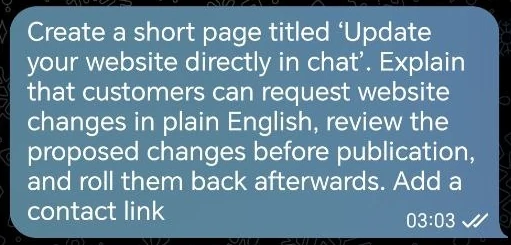
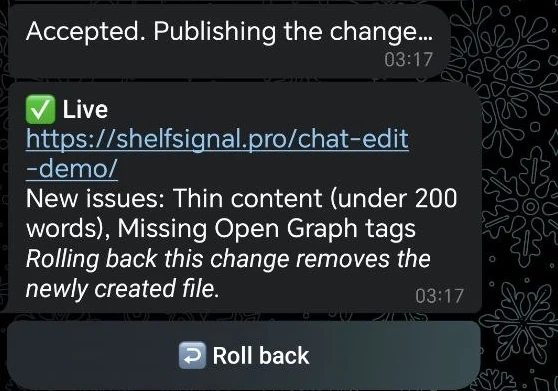
Real screenshots from our own site. No UI mockups.
Less admin. Clearer control.
Use the connected chat to explain what you need. We turn it into a concrete draft, keep the decision with you, and record what happens next.
01 / START
Choose “Request a website edit” in the connected bot. Your website is linked during onboarding.
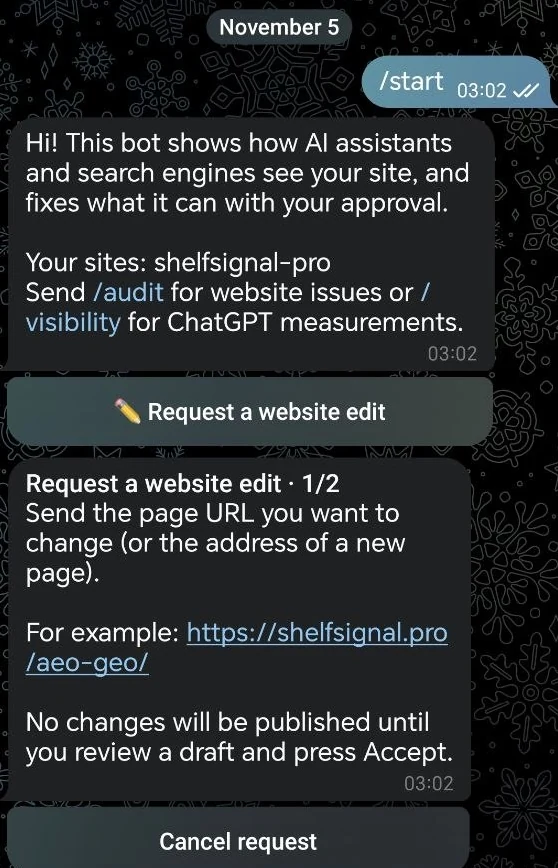 Open actual screenshot ↗
02 / TARGET
Send the page address, or the address of a new page, then describe the change in plain English.
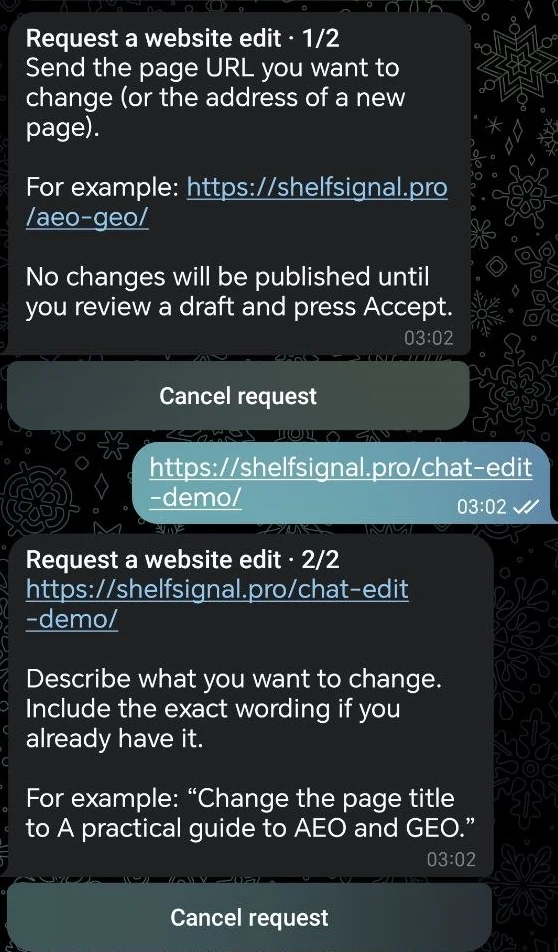 Open actual screenshot ↗
03 / REVIEW
Read the proposed content and its explanation. Accept publishes the approved change; Reject leaves the website unchanged.
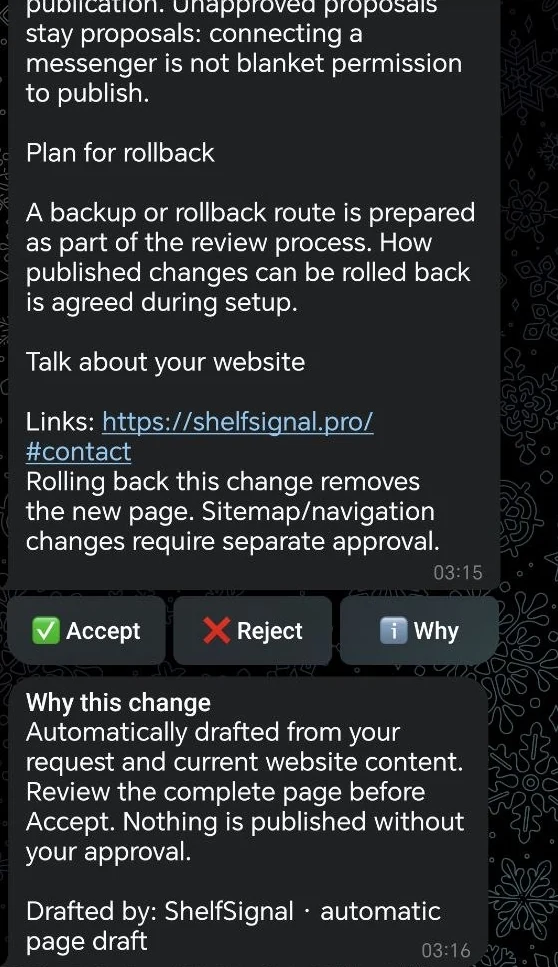 Open actual screenshot ↗
New pages can be drafted automatically. Updates to existing pages depend on the supported edit and the scope agreed for your site; some need team preparation. Nothing is published just because you sent a message.
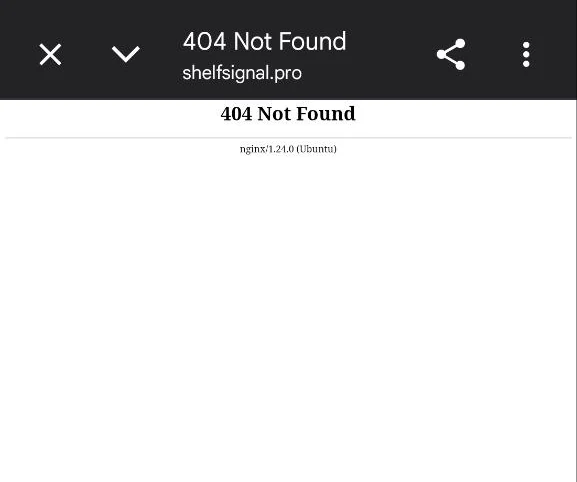
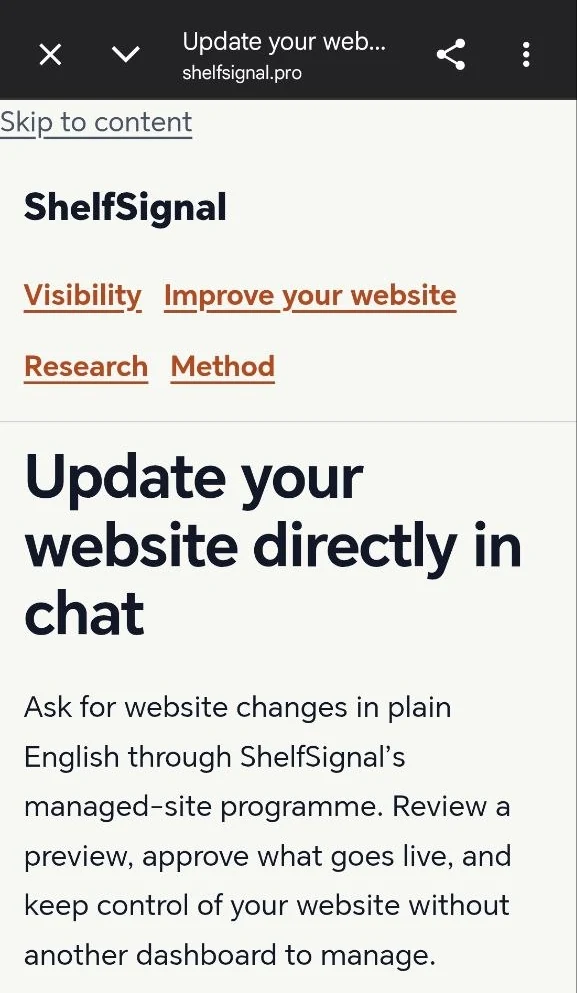
One request. A real published page.
The owner requested a short page at /chat-edit-demo/, reviewed the draft and pressed Accept. These are the owner’s actual browser captures before and after publication.
A clear history. A way back.
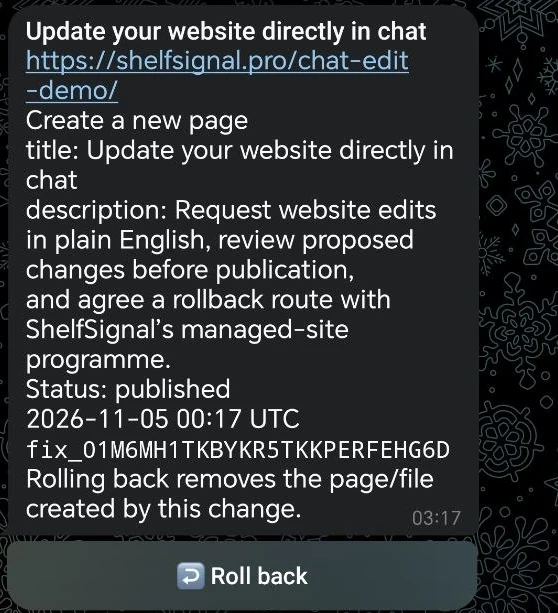
Open Tasks to see what was changed, on which page and when. Eligible published changes have a Roll back button.
The screenshot shows a published task and its rollback control, not a completed rollback.
An implementation service, not just a chat box
For compatible sites, we can move the agreed website to our hosting and manage its approved updates. No need to coordinate a separate handoff for every small change.
We agree supported pages, hosting and migration, access, backups and the rollback route before onboarding. Complex applications, checkout systems and private content need a separate scope.
The demonstrated interface is Telegram. Other messenger connections are agreed separately; they are not automatically connected by visiting this page.
Tell us about your site ↗Your requests + evidence-backed recommendations
Request the updates you already have in mind, or use recommendations to choose the next useful improvement.
Review verified metadata, crawlability, canonical URL and structured-data findings. Supported fixes follow the same draft-and-Accept workflow.
Review relevant topics, entities, definitions and content structure against captured AI answers and reviewed sources. Website actions are separate from external-source tasks for your team.
A technical SEO audit is not an AI visibility measurement. A new page does not prove higher rankings or more AI mentions; that needs a comparable repeat measurement.
Explore AI visibility improvements ↗Before you connect
No. You receive a concrete draft first. Publication starts only after the authorised owner presses Accept.
Currently, new-page drafts can be prepared automatically. Existing-page updates depend on the supported edit type and agreed scope, and may need team preparation. This is not unrestricted access to your application code.
Eligible tasks offer Roll back. A rollback of a newly created page removes it; later conflicting edits require review so they are not silently overwritten.
Managed hosting is available for compatible sites, with migration and responsibilities agreed first. We review your current setup before proposing the implementation arrangement.
We quote for the agreed hosting, migration and update workload. SEO and AI visibility work is scoped separately where needed; no price or hosting commitment is implied by sending an enquiry.
Make your next update simpler
Share your website and the change you want to make. We’ll discuss compatibility, the implementation scope and how chat-based updates could work for your team.
hello@shelfsignal.pro ↗